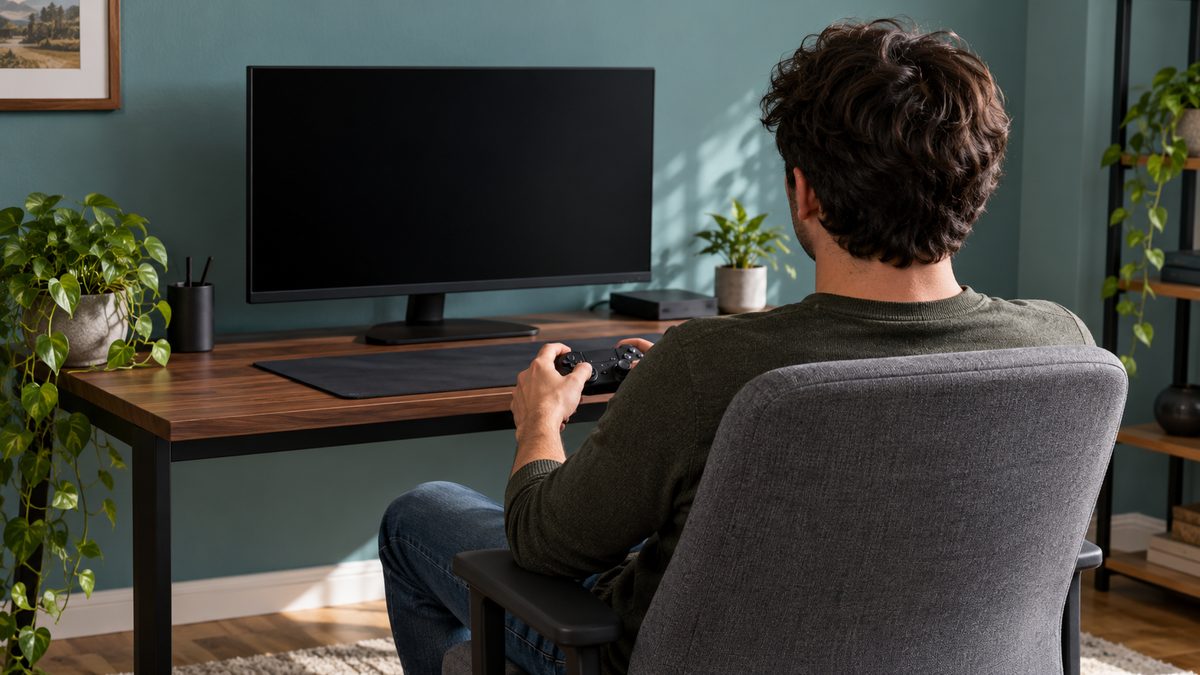
Notice what changes during a match
A setup that feels comfortable in a menu can feel different during a close game. You may move towards the screen, raise your shoulders or grip the controller harder without noticing. Start by watching for one of those changes at the end of a match. A useful adjustment addresses what you do while playing, rather than how the chair looks when you first sit down.
Move drinks, cables and spare controllers out of the space your arms and feet need. Keep frequently used controls within easy reach. If a microphone or camera makes you turn your body towards one side, reposition it before the session. Small sources of repeated reaching can accumulate across several games even when the screen and chair seem suitable.
Set the chair and desk as a pair
Adjust the seat so your feet rest securely and your thighs feel supported without pressure behind the knees. Move close enough to the desk that your elbows do not need to reach far forwards. If raising the chair helps your arms reach the keyboard, add a stable foot support when necessary. Check that the desk still leaves room for your knees.
A tall racing-style backrest or decorative side bolsters do not guarantee a good fit. Some seats may restrict movement or push your shoulders forwards. Try the adjustments you have before adding cushions. Our office chair guide explains fit checks that apply to gaming furniture too, while signs a chair does not suit you can help identify a persistent mismatch.
Place the screen for real play
Set the main display directly in front of your usual playing position. Choose a distance at which text and important details are visible without leaning closer. Raise or lower the screen to keep your neck comfortable, taking glasses and the part of the display you watch most into account. Increase interface size where the game allows it if tiny text draws you forwards.
With multiple displays, keep the primary game screen central and place secondary information where you can glance without staying turned. Console players should review the sofa arrangement too. A low television and a deep seat may encourage a long forward lean. The monitor height and distance article gives a fuller approach to screen position without prescribing one exact measurement for every person.
Reduce unnecessary hand and shoulder effort
For keyboard and mouse play, leave enough room to move the mouse without lifting your shoulder or reaching around objects. Keep wrists in a comfortable position rather than pressing them against a sharp desk edge. Sensitivity settings should let you control the game without making every movement a large reach, although preferences and game demands vary.
With a controller, try supporting your forearms on comfortable armrests or a cushion if this lets your shoulders relax. Avoid a support so high that it lifts your elbows towards your ears. Put the controller down during loading screens or discussions instead of holding a tight grip through every pause. Ongoing hand symptoms, tingling or loss of strength need professional attention rather than repeated equipment experiments.
Use natural pauses before another round
Choose your break rule before joining the queue. You might stand after a completed match, walk during a longer lobby wait or leave the chair between campaign chapters. The point is to interrupt a long block of sitting, not to complete a special stretching routine while watching a countdown. If the next round starts immediately, step away from the queue long enough to make the break real.
Tell teammates when you plan to pause so the decision feels easier to keep. For a solo game, use a save point as a reminder. Our sitting break guide suggests other cues. A short break also offers a chance to notice tiredness and decide if the next match fits the rest of your evening.
Review the setup before a long session
Run through these checks before a weekend session, a tournament or an evening with friends. They can reveal problems that are easy to miss when you are already focused on play. Changing one item at a time also helps you judge which adjustment makes a useful difference.
- The main display is easy to see from the supported seat.
- Controls stay close without raised shoulders.
- Feet have room to rest and change position.
- Cables and equipment leave a clear route to stand.
- A break point is chosen before starting the next game.
When playing from a sofa, a stable lap surface may help with a keyboard, but keep ventilation and device instructions in mind. Do not cover a hot laptop with soft bedding or balance equipment where it can slide. Check that the television remains visible when you sit back, rather than only when you perch on the front edge. If the room cannot accommodate a comfortable long session, choosing a shorter session is a practical adjustment in its own right.
Keep gaming within the rest of your day
After hours at a work or study desk, another long seated session adds to the same pattern even if the activity feels more relaxing. Consider a walk or another comfortable activity before gaming, and leave time for sleep and ordinary meals. The walking guide offers a manageable way to add movement without turning leisure into another demanding programme.
No posture aid can guarantee comfort throughout an unlimited session. Our balanced article on posture correctors discusses their limited role as reminders. If symptoms keep returning, shorten the session and seek advice instead of using equipment to push through. Persistent or worsening back pain, numbness or weakness warrants assessment, as explained in the guide to medical help.