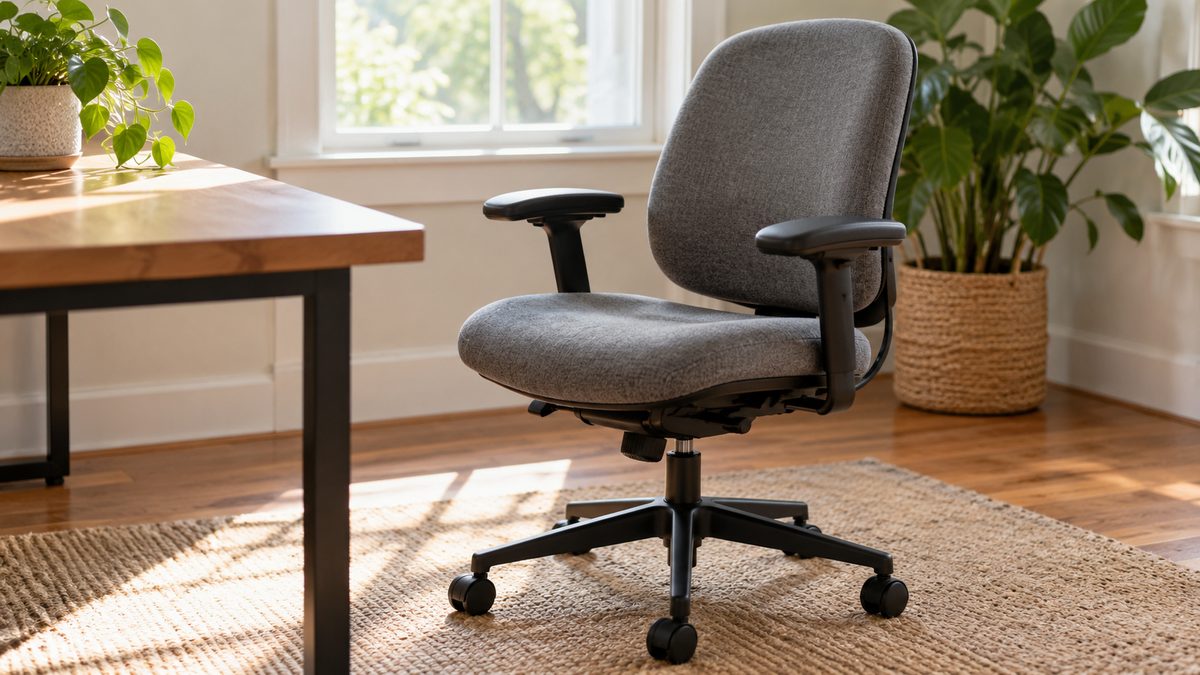
A useful office chair fits your body, your desk and the work you do. A long feature list cannot compensate for a seat that is too deep or armrests that block the desk. Begin with the practical problems your current chair creates, then compare alternatives against them.
Words such as ergonomic and orthopaedic do not guarantee a comfortable fit. Your size, available space, flooring and usual tasks all affect the choice. A modest chair with suitable dimensions can be more useful than a costly model whose adjustments never reach the positions you need.
Measure the space before the chair
Check desk height and clearance under drawers or crossbars. Measure the route into the room and the space behind the desk. A wide chair may fit through the door but leave little room to stand, open a cupboard or move away safely.
Consider the floor surface too. Castors should suit the floor and the manufacturer's instructions. A chair that rolls too easily on a hard floor may feel insecure, while unsuitable wheels can catch on carpet. Keep mats flat and remove trip hazards around the base.
If several people share the chair, check that adjustments are easy to find and use. A chair that can fit everyone only after a complicated reset may rarely be adjusted. Simple controls and clear instructions matter in a shared workspace.
Check seat height and depth together
Set the seat so your hands can reach the work without lifted shoulders. Your feet should rest securely on the floor or a stable footrest. Check the full height range rather than assuming every office chair lowers enough for you.
When you sit back, the seat should support your thighs without pressing into the backs of your knees. A little clearance allows comfortable movement. If you must perch near the front to bend your knees, the seat may be too deep for your legs.
An adjustable seat depth can help accommodate different users. Test it rather than treating it as a required feature by name. Some chairs move the seat, others move the backrest, and either arrangement still needs to leave you with comfortable support.
Assess the backrest and recline
The backrest should meet your back without forcing a large arch or pushing you away from the desk. Lower back support can be useful when it feels comfortable. More prominent support is not automatically better, and a hard ridge may become distracting during normal work.
Try a modest recline and check that your feet remain supported. Adjust tension so you can move without fighting the chair or falling backwards unexpectedly. Understand any locking mechanism before leaning back. Follow the manufacturer's instructions for safe adjustment.
A high back or headrest may feel pleasant during some tasks, but neither is essential for every person. Check that a headrest does not push your head forwards. Your main typing position should remain comfortable without pressing your neck against a fixed pad.
Trial checklist
- Type and use the mouse with the chair at your actual desk height.
- Sit back and check pressure behind your knees.
- Move the armrests and confirm that the chair approaches the desk.
- Try the recline slowly and locate its controls.
- Stand up and sit down without catching clothing or losing balance.
- Check seat width, material comfort and ventilation.
- Read assembly, maintenance, weight limit and return information.
A short showroom visit cannot predict every hour of use, but it can expose obvious fit problems. Ask about a trial or return policy before buying. For online purchases, check dimension diagrams and whether returns involve collection costs or disassembly.
Judge armrests by how you work
Armrests may support you during pauses or some tasks, but they should not hold your shoulders up. Height, width and fore and aft movement can all matter. Test the configuration that leaves your elbows close enough to your body without squeezing you.
If armrests collide with the desk, see whether they can lower or move aside safely. A chair without armrests may suit some compact workspaces. The desk sitting guide explains how hand reach and back support fit together with these choices.
Consider phone calls, writing and reading as well as keyboard work. A chair can feel comfortable in a relaxed showroom recline yet be awkward when you reach for a notebook. Test the transitions you make during your real working day.
Look beyond the first week of ownership. Check how the fabric can be cleaned, whether parts are replaceable and what the warranty covers. A pale upholstery colour or complicated mesh surface may need care that does not fit your household. Practical maintenance affects how usable the chair remains, particularly when the workspace is shared with children or pets.
Decide what to replace and what to adjust
Before replacing a chair, check its existing controls and condition. A seat that has gradually dropped may need attention beyond posture advice. Worn upholstery, damaged wheels, loose fixings or an unreliable mechanism require a safe repair or replacement rather than extra cushions.
If the frame is sound but the fit is poor, review signs your chair is wrong for you. A small adjustment may solve one problem, while a structural mismatch may remain. Be realistic about what an accessory can change.
Leave some budget for the rest of the workstation. Foot support or separate laptop controls may be more useful than a premium chair feature. The budget home workspace guide helps prioritise those purchases. Whatever chair you choose, keep movement breaks and seek professional advice for persistent or worsening pain.